---
title: "Lokalise MCP 自动翻译方案"
description: "工作中需国际化的场景比较多,需要有自动化翻译方案来提高效率"
canonical_url: https://ro.yikzero.com/blog/lokalise-mcp
locale: zh-CN
date: 2025-11-17
---
# Lokalise MCP 自动翻译方案
## 前言
俗话说得好,「偷懒」是第一生产力。
目前的 i18n 国际化流程比较繁琐:英文稿件设计,设计完将每个单词、句子在 Lokalise 平台翻译成至 20 种语言,再将 Translation Key 标注回 Figma 供开发调用。
这种 **「翻译 -> 标注 -> 填码」** 的流程,在 App 需求设计中极其耗费时间。 面对这种高频重复的低效劳动,我结合此前团队的 i18n 实践经验,重新设计了一套自动化方案。
目前我们使用的多语言平台是 [Lokalise](https://lokalise.com/),所以接下来我讲的方案主要会围绕 Lokalise 展开,其他平台也可以参考。
## 基本思路
要实现全自动,其实就分两步走:
1. **找个懂行的翻译**:AI 翻译很强,但不懂业务术语(比如 "Gas" 翻译成 "气体"),可能还会把一些不需要翻译的词翻译出来。所以需要给 AI 注入业务上下文、定规矩。
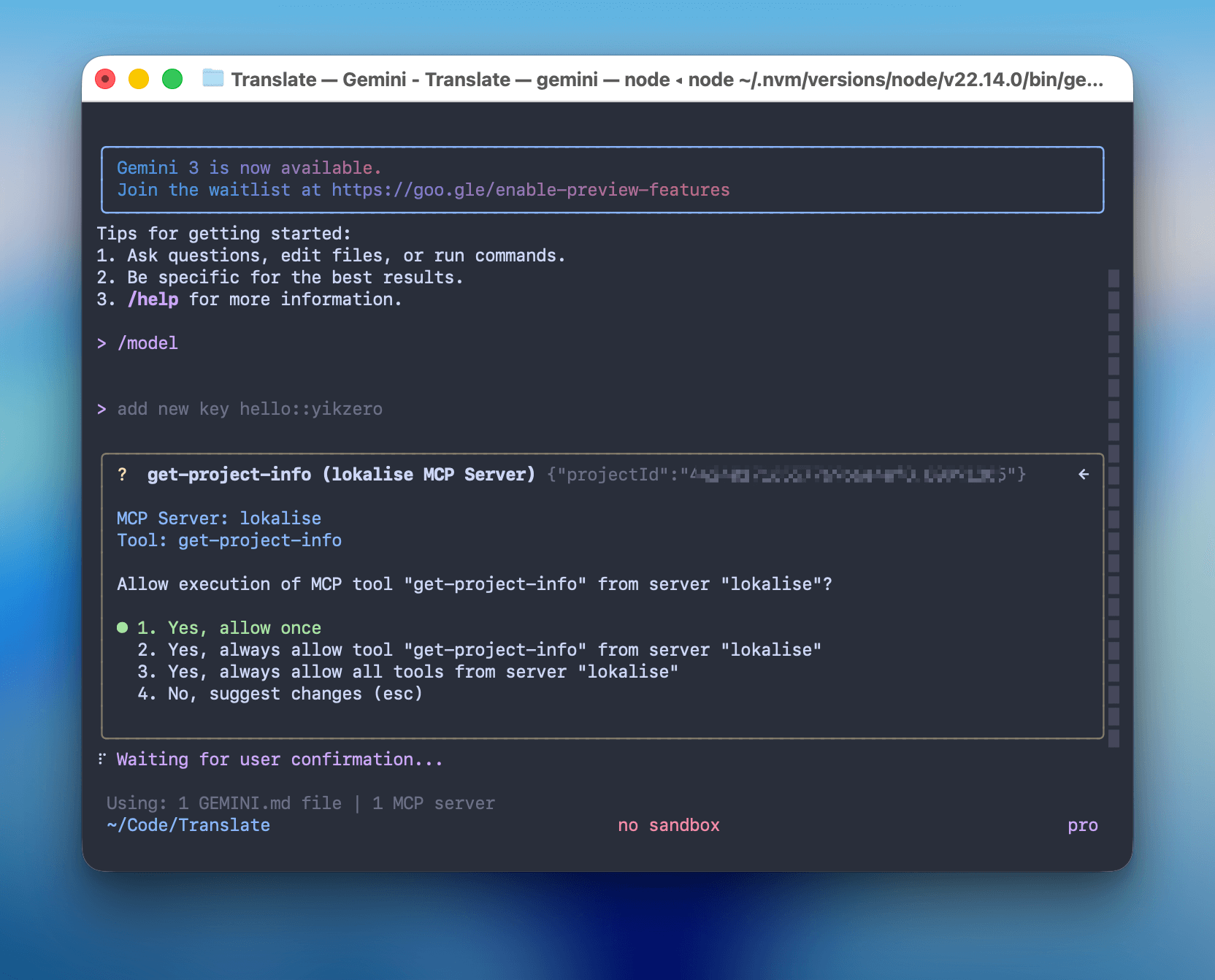
2. **给 AI 装上「手」**:翻译完还得一条条复制粘贴到 Lokalise 后台,这才是最累的。通过 MCP 协议,让 AI 直接调用 Lokalise API。
## 最终方案
我选择的技术栈是 **Node.js** + **MCP SDK** + **客户端工具**。
客户端的选择很灵活,只要支持 MCP 均可。最开始我用的是 **[Claude Desktop](https://www.claude.com/download)**,但对于喜欢命令行的朋友,完全可以替换成 **[Claude Code](https://www.claude.com/product/claude-code)** 或者 **[Gemini CLI](https://github.com/google-gemini/gemini-cli)**,效果一样丝滑。
可能 Gemini 对于翻译这种文科类工作更加擅长,推荐一下。
### 1. 核心代码 (MCP Server)
Lokalise 本身提供了完善的 [REST API](https://developers.lokalise.com/reference/lokalise-rest-api),这正好方便我们通过代码来操作它。
为了少写点样板代码,我直接使用了官方的 Node.js SDK (`@lokalise/node-lokalise-api`)。参考 MCP 的[官方文档](https://modelcontextprotocol.io/docs/develop/build-server#node),我把这些 API 包装成了一个 MCP Server。
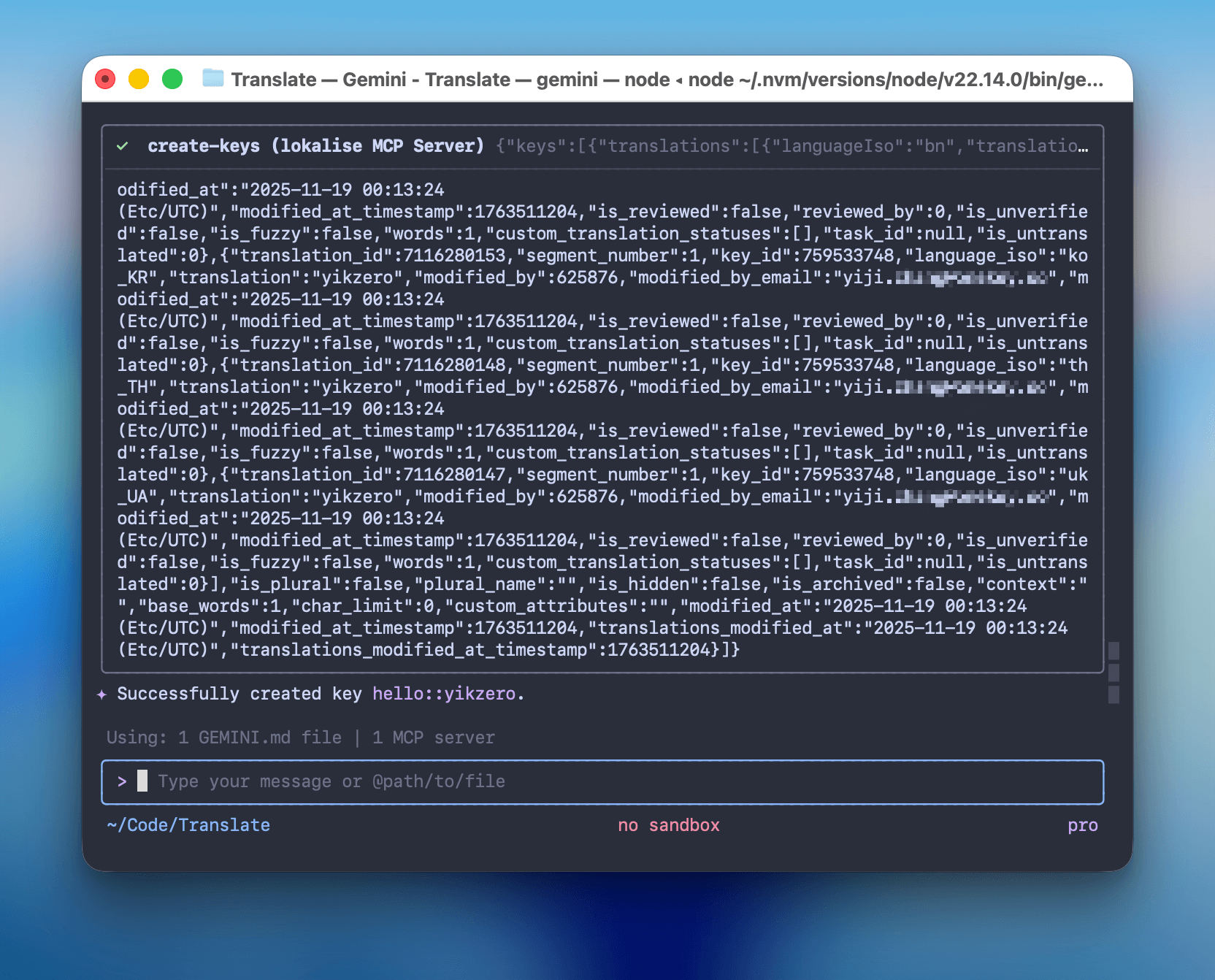
它主要暴露了两个工具给 AI:
- `search-keys`: 用来查重,看看是不是已经有人翻译过了。
- `create-keys`: 用来干活,把 AI 生成好的多语言文案写入后台。
逻辑其实并不复杂,本质上就是做一个 API 的二传手:
点击查看 index.ts 核心代码
```typescript
#!/usr/bin/env node
import { McpServer } from "@modelcontextprotocol/sdk/server/mcp.js";
import { StdioServerTransport } from "@modelcontextprotocol/sdk/server/stdio.js";
import { LokaliseApi, SupportedPlatforms } from "@lokalise/node-api";
import { z } from "zod";
const LOKALISE_API_KEY = process.env.LOKALISE_API_KEY;
const DEFAULT_PROJECT_ID = process.env.DEFAULT_PROJECT_ID;
const DEFAULT_PLATFORMS = ["web", "ios", "android", "other"];
const PLATFORMS = (
process.env.PLATFORMS
? process.env.PLATFORMS.split(",").map((p) => p.trim())
: DEFAULT_PLATFORMS
) as SupportedPlatforms[];
const lokaliseApi = new LokaliseApi({ apiKey: LOKALISE_API_KEY });
const server = new McpServer(
{
name: "lokalise-mcp",
version: "1.0.0",
author: "yikZero",
},
{
capabilities: {
tools: {},
},
}
);
// ... get-project-info 和 search-keys 工具代码略 ...
server.registerTool(
"create-keys",
{
title: "Create Keys",
description: "Creates one or more keys in the project",
inputSchema: {
projectId: z
.string()
.describe(
"A unique project identifier, if not provide, first use get-project-info tool to get the project id"
),
keys: z.array(
z.object({
keyName: z.string().describe("Key identifier"),
platforms: z
.array(z.enum(["web", "ios", "android", "other"]))
.describe(
"Platforms for the key. If not provided, use the default platforms: " +
PLATFORMS.join(", ")
),
translations: z
.array(
z.object({
languageIso: z
.string()
.describe(
"Unique code of the language of the translation, get the list from the get-project-info tool"
),
translation: z
.string()
.describe("The actual translation. Pass as an object"),
})
)
.describe("Translations for all languages"),
})
),
},
},
async ({ projectId, keys }) => {
const response = await lokaliseApi.keys().create(
{
keys: keys.map((key) => ({
key_name: key.keyName,
platforms: key.platforms,
translations: key.translations.map((t) => ({
language_iso: t.languageIso,
translation: t.translation,
})),
})),
},
{ project_id: projectId }
);
return {
content: [
{
type: "text",
text: JSON.stringify(response),
},
],
structuredContent: response as any,
};
}
);
// ... update-keys 工具代码略 ...
async function main() {
const transport = new StdioServerTransport();
await server.connect(transport);
console.error("Lokalise MCP Server running on stdio");
}
main().catch((error) => {
console.error("Fatal error in main():", error);
process.exit(1);
});
```
### 2. 调教 AI (Prompt)
这其实就类似 Claude 网页版里的 Project 功能,他会让你预置一些系统提示词,提供一些资料。这都属于给 AI 背景知识,方便其更好的工作。
所以为了让 AI 像个老员工一样,我把所有关于 OneKey 的术语表(Glossary)、Key 的命名规范(Snake Case)都写进了一个 `GEMINI.md` 文件里,如果用的是 Claude Code,也可以写一份 `CLAUDE.md`。
现在其实也有个统一的 [AGENTS.md](https://agents.md/),只不过还没完成有统一大业。
查看 GEMINI.md 提示词详情
```markdown
You are a professional web3 project i18n translation expert specializing in translating word/sentence into multiple languages for software localization.
OneKey is a comprehensive cryptocurrency wallet solution...
English (United States), Bengali, Chinese Simplified...
OneKey, WalletConnect, iCloud, Google Drive, OneKey Lite, OneKey KeyTag, Face ID, Touch ID...
global, onboarding, wallet, swap, earn, market, browser, settings, prime
Translation Process:
1. Direct Translation:
- Provide a literal translation of the word/sentence into all supported languages
- If the text contains a number, replace it with {number}
- Preserve all technical terms and variables, like {variableName}, HTML tags, etc
2. Refined Translation:
- Create an optimized version that enhances clarity and natural flow in each language
- Ensure cultural appropriateness while preserving the original meaning
- When translating, take cultural factors into account and try to use expressions that fit the cultural habits of the target language, especially when dealing with metaphors, slang, or idioms
- Preserve specific professional terminologies within certain industries or fields unchanged, unless there is a widely accepted equivalent expression in the target language
- The title needs to be used Sentence case
- A space (half-width space) between a full-width character (Kanji) and a half-width character (letter, number, or symbol)
3. Key Generation:
- Create a self-explanatory key in snake_case format
- Structure as namespace::descriptive_key_name
- When recognized as a common term, please use global namespace
- Key must accurately represent the content's purpose
- Avoid hyphens (-) and curly braces ({})
Output Format:
1. Key: [namespace::descriptive_key_name]
2. Direct Translation Table (brief reference)
3. Refined Translation Table (primary focus)
Items need checked:
1. If the user provides the Key, use the user-provided Key.
2. If there is an obvious spelling error, I need your help to correct it and inform you.
3. After the translation is completed, need to call the tool to create/update the corresponding key.
4. First, provide the Table, then create or update the Key based on the translations in the Refined Table.
```
### 3. 配置文件
最后,在 MCP 配置文件(如 `claude_desktop_config.json` 或 `.mcp.json`)里,把我们写好的 Server 挂载上去。
```json
{
"mcpServers": {
"lokalise": {
"command": "node",
"args": ["/Users/yikzero/Code/lokalise-mcp/build/index.js"],
"env": {
"LOKALISE_API_KEY": "xxxx969xxxxxxxx7c18760c",
"DEFAULT_PROJECT_ID": "44xxxxxe4ef8.8099xx5",
"PLATFORMS": "ios,android,web,other"
}
}
}
}
```
## 实战案例
### 从设计稿到代码的全自动流程
以我们最近开发的「网络检测功能」为例。这是一个相对复杂的业务场景,涉及到多种网络错误状态提示,每种报错信息都需要进行 i18n,总计超过 50 条需要翻译的文本。如果手动处理,光是翻译、填 key、对齐文案估计就要耗费一整天。
我是这样解决的:
1. **Claude Code 整理需求**:让 Claude 分析代码逻辑,整理出所有需要翻译的场景,输出一个 Markdown 列表。
2. **Gemini 翻译**:将 Markdown 投喂给 Gemini 2.5 Pro (CLI),让其基于我们内置的 Prompt 进行翻译。它会根据 `` 里的规则,妥善处理 "VPN"、"Proxy" 等专业词汇,并自动生成规范的 Key (如 `settings::network_error_timeout`)。
3. **Claude Code 替换代码**:拿到包含 Key 的翻译稿后,再丢回给 Claude Code,让其一键替换掉代码中的硬编码字符串。
Claude 擅长代码分析,Gemini 擅长多语言翻译,MCP 负责打通数据壁垒。各司其职,效率提升了不止一点点。
### 日常零碎翻译
对于日常的小需求,配合设计稿使用也很香。
比如我在 Figma 里刚画完一个新的 Onboarding 弹窗,随手截个图扔给 AI,说一句:
> "这是一个新的导入钱包弹窗,把里面的文案处理一下,Key 放在 onboarding 下。"
AI 会自动执行:**视觉识别** (提取文案) -> **双重翻译** (直译+意译) -> **自动入库** (通过 MCP 写入)。
你只需要喝杯咖啡,等着 Review 就好了。
## 总结
用 Claude 写一个 MCP Server,再供给 Gemini CLI 调用,让他们更好的干活。也不知道谁才是资本家(误。
文中提到的相关代码都已开源,感兴趣的朋友可以自取:
- MCP Server: [lokalise-mcp](https://github.com/yikZero/lokalise-mcp)
- 整合配置案例: [onekey-translate](https://github.com/yikZero/onekey-translate)